
DHECINK
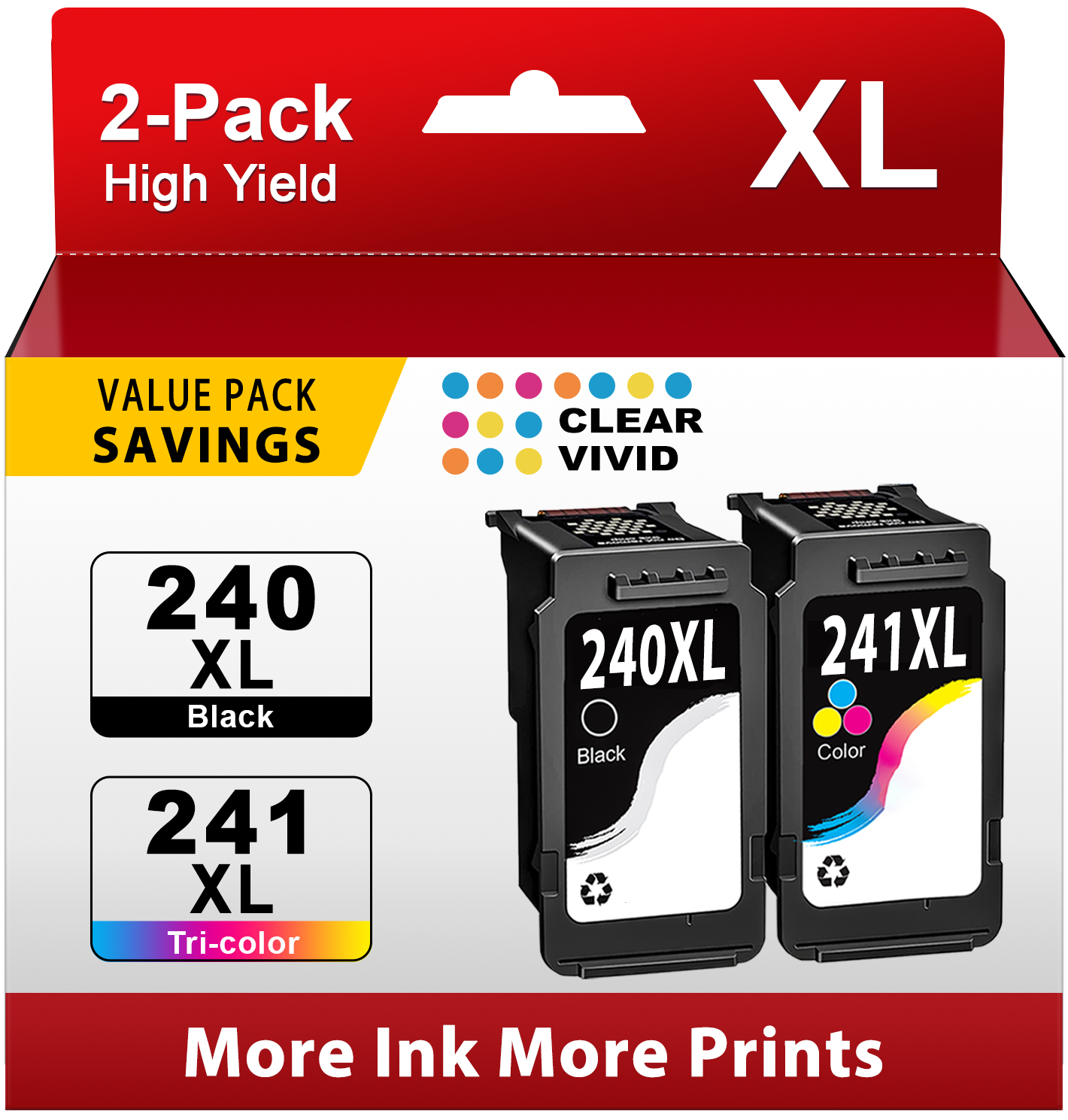
240XL 241XL Ink Cartridge Compatible for Canon Ink 240 and 241 for Canon Ink 240 for Canon 240XL and 241XL (2 Pack)
240XL 241XL Ink Cartridge Compatible for Canon Ink 240 and 241 for Canon Ink 240 for Canon 240XL and 241XL (2 Pack)
Couldn't load pickup availability
- ⭐Model: 2-Pack 240 ink replacement for Canon Ink 240 and 241 for Canon Ink 240 for Canon 240XL and 241XLfor Canon Printer Ink
- ⭐High Page Yield for Canon 240 Ink: Up to 650 pages per 240xl black ink cartridge, 560 pages per canon 241 color ink cartridge at 5% coverage
- ⭐With the built-in smart chip, 240 241 ink cartridges for Canon 240XL and 241XL ensure fast recognition, real-time ink level display and smooth printing
- ⭐Great Compatibility: 240 ink for canon 240 canon 240xl for use with Canon PIXMA MG3520 MG3620 MG3120 MG3122 MG3220 MG3222 MG4120 MG4220 MG2120 MG2220 MX512 MX522 MX532 MX432 MX439 MX452 MX459 MX472 MX372 MX392 TS5120 printer
- ⭐Our 240xl and 241xl are formulated to provide crisp text quality prints with true-to-life color
- ⭐All 240 ink cartridge for canon 240 240xl are tested in multiple processes before leaving the factory to ensure can be recognized by your printer
2-Pack 240XL and 241XL Ink Cartridge replacement Compatible for Canon Ink 240 and 241 XL PG-240XL CL-241XL combo pack (1 x Black,1 x Tri-Color)
🖨️ Compatible Printers:
Canon Pixma MG3520 / MG3620 / MG3120 / MG3122 / MG3220 / MG3222
Canon Pixma MG4120 / MG4220 / MG2120 / MG2220
Canon Pixma MX512 / MX522 / MX532
Canon Pixma MX432 / MX439 / MX452 / MX459 / MX472
Canon Pixma MX372 / MX392
Canon Pixma TS5120
(Please confirm your printer model before placing order)
📦Package include:
1 x PG-240XL Black Ink Cartridge
1 x CL-241XL Tri-Color Ink Cartridge
📑High Yield (at 5% coverage Letter/A4):
Up to 650 pages per 240xl black ink cartridge
Up to 560 pages per 241xl tri-color ink cartridge
👉 Installation Steps:
Step 1: Take off the plastic protective cover cap
Step 2: Tear off the protective tape
Step 3: Install the ink cartridge into the corresponding slot
(Attention: Do not touch the chip or the ink port)
🧡Warm Tips:
⭐ If your printer get messages stating “Non-Genuine” “NON-Original” in the printer, please press “OK” or “Next” to continue.
⭐ If your printer get messages stating “Cartridge do not communicate properly with the printer” or “ One or more cartridges are missing or damaged”, please remove the cartridge and install it again.
⭐ If the printer doesn't recognize the cartridges, please remove the cartridges, clean the chips with an eraser softly, then reinstall the cartridges and restart the printer.
⭐ If prints come with fading color or broken lines after installing the ink cartridges, please try to perform the nozzle cleaning setting in the printer once or twice.
🧡Professional Support:
All products are packed independently and have undergone strict quality inspection before leaving the factory. You can buy them with confidence. If you have any questions, please feel free to contact us.
Established in 2005, Starink, a compatible printing consumables research and development company always collects user experiences to improve cartridges’quality We have a perfect after-sales team to solve any quality problems in time. Starink and Walmart together bring you a splendid shopping experience!
Share